Why Your Website Is Slow (And How Smaller Images Fix It)
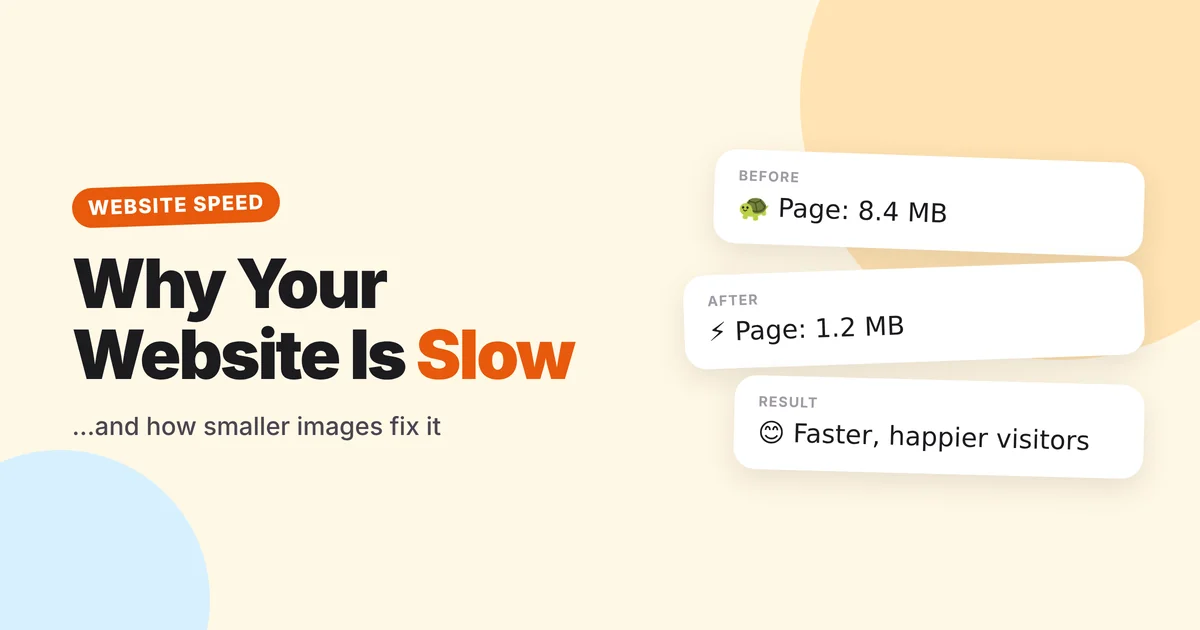
You click on your own website and wait... and wait. If your pages take more than a few seconds to load, visitors notice. Many of them won't stick around to see what you've built.
There are lots of reasons a website can be slow, but one of the most common is also one of the easiest to fix: images that are far bigger than they need to be. Here's why it happens and how to fix it.
Why images slow down websites
When someone opens a page, their browser has to download everything on it: text, code, fonts and images. Text is tiny. Images are not. On many websites, images make up the majority of the total download size.
The problem usually starts when a photo goes straight from a phone or camera onto the website. That photo might be 4000 pixels wide and 5 MB in size, even though it's displayed in a column only 800 pixels wide. The browser still downloads the whole thing.
Multiply that by ten photos on a page, and you're asking visitors to download 50 MB, often over a mobile connection.
How slow pages hurt you
- Visitors leave. People expect pages to load quickly, especially on phones. A slow page gives them a reason to hit the back button.
- Search rankings can suffer. Google uses page experience signals, including Core Web Vitals, as part of how it ranks pages. One of those signals, Largest Contentful Paint (LCP), measures how fast the main content appears. Google suggests aiming for 2.5 seconds or less, and a big hero image is often what slows LCP down.
- Mobile data costs money. Heavy pages use up your visitors' data plans.
How much can smaller images save?
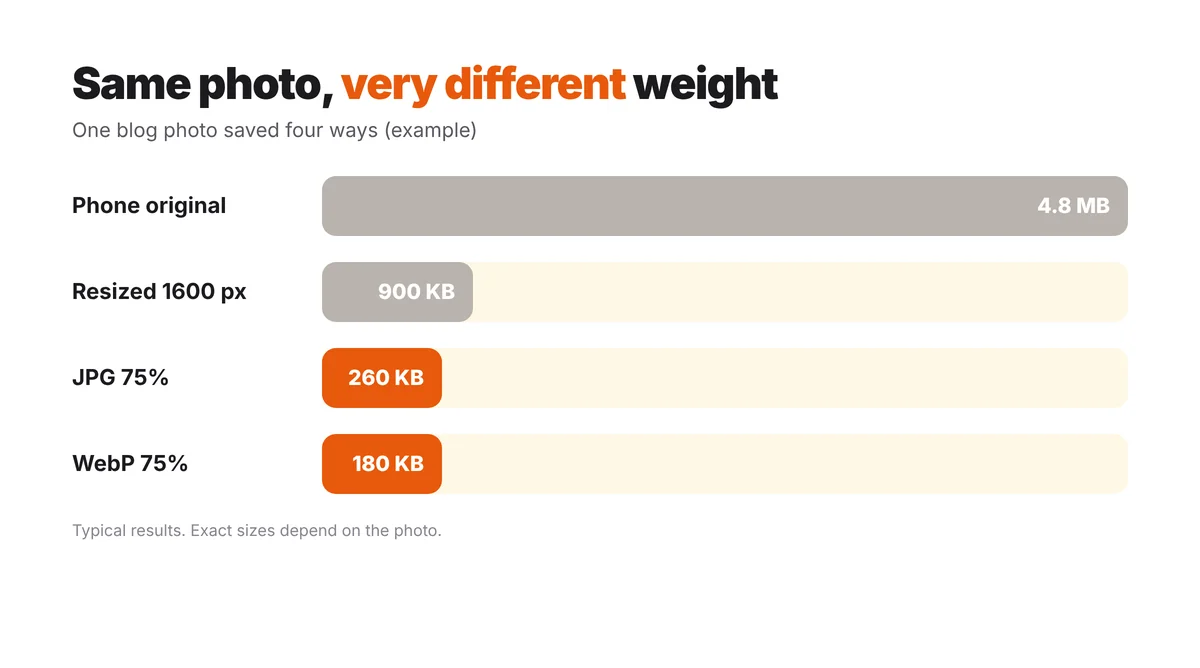
As the example shows, simply resizing a photo to the size it's actually displayed at removes most of the weight. Compressing it and saving it as WebP cuts it down even further. The visible quality on screen stays almost the same.
How to fix slow images, step by step
1. Find your heaviest images
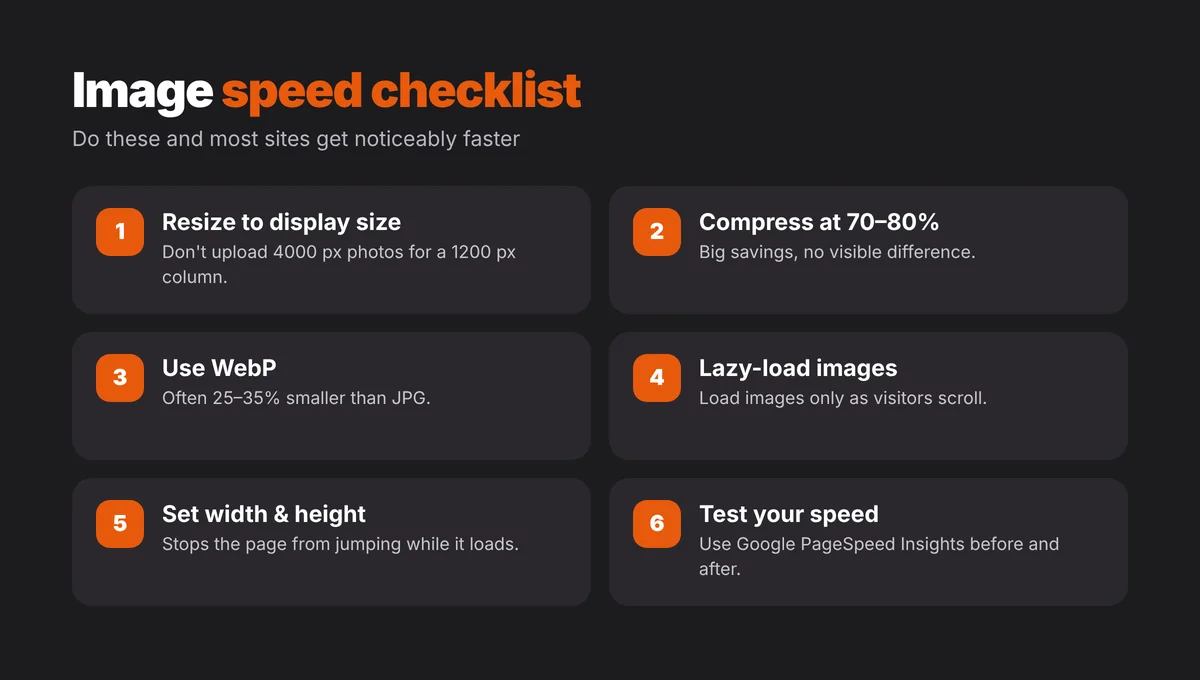
Run your page through Google's free PageSpeed Insights tool. It lists images that are too large and estimates how much you could save. Your browser's developer tools (Network tab) also show the size of each file.
2. Resize images to the size they're displayed
Check how wide your content area is. For most blogs, 1200 to 1600 pixels is plenty, even for high-resolution screens. Full-width banners may need up to 1920 to 2400 pixels.
3. Compress and convert to WebP
Open our free image compressor, choose a Max width, set quality to around 75% and pick WebP as the output format. You can process up to 20 images at once. Read what a WebP file is if you're new to the format.
4. Replace the images on your site
Upload the smaller versions and remove the old ones. If you use a content management system, check whether it creates its own resized copies. Many do, but they still start from the file you upload.
5. Add lazy loading and dimensions
Adding loading="lazy" to images below the fold tells the browser to load them only when the visitor scrolls near them. Adding width and height attributes lets the browser reserve space, so the page doesn't jump around while it loads. Don't lazy-load the main image at the top of the page, since you want that one to appear right away.
Other things that slow websites down
Images are a big piece of the puzzle, but not the only one. If your site is still slow after optimizing images, look at:
- Slow or overloaded hosting
- Too many plugins, scripts or tracking codes
- Large video files embedded directly on the page
- Web fonts loaded in many weights and styles
Frequently asked questions
Will smaller images look worse on big screens?
Not if you size them for how they're displayed. A 1600-pixel image looks sharp in a typical blog column, even on a high-resolution laptop.
Should I use WebP or JPG on my website?
WebP is supported by all modern browsers and is usually smaller, so it's a great choice for websites. Keep JPG for files you share outside your site.
How often should I check my site speed?
Run a test whenever you redesign your site or add a lot of new content. It only takes a minute.
New to compression? Start with our beginner's guide to compressing images.