Best Free Online Image Compressor for JPG, PNG, and WebP: Reduce Image Size Without Losing Quality
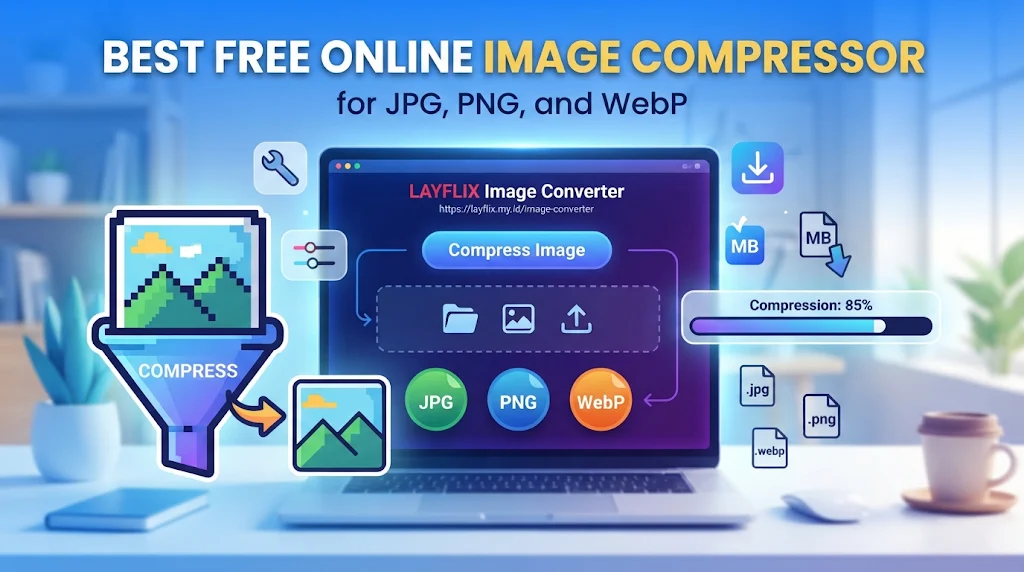
Images make the internet more colorful, engaging, and enjoyable to explore. From product photographs and travel pictures to website banners and social media graphics, visual content plays an important role in how people communicate online. However, there is one small problem that often goes unnoticed: large image files can make websites slower, consume storage space, and take longer to upload or share.
Fortunately, reducing image file sizes no longer requires expensive software or advanced editing skills. A free online image compressor offers a practical solution for anyone who wants smaller images without spending hours adjusting complicated settings. With just a few clicks, users can optimize JPG, PNG, and WebP files directly from their web browsers.
Whether you are a blogger, website administrator, online seller, content creator, or simply someone who frequently shares photographs, finding the right image compression tool can make everyday digital tasks much easier.
What Is an Online Image Compressor?
An online image compressor is a web-based tool designed to reduce the file size of digital images. It works by optimizing image data, removing unnecessary information, or applying compression techniques that make files smaller while maintaining an acceptable level of visual quality.
Unlike traditional image editing applications, most online compressors do not require users to install additional software. Everything can be accessed through a browser, making the process convenient for people using desktop computers, laptops, tablets, or smartphones.
The main objective is simple: make images lighter without making them look noticeably worse. This is particularly useful for websites, where image-heavy pages can affect loading speed and create an unpleasant browsing experience.
Why Image Compression Matters More Than Ever
In today's digital environment, image optimization is no longer just a technical preference. It has become an important part of website management, content publishing, and online communication.
Consider a website that publishes several articles every day. Each article may contain multiple photographs, illustrations, or featured images. If every image is uploaded in its original high-resolution format, the website can quickly accumulate unnecessary file sizes.
This can create several problems, including slower page loading, increased bandwidth consumption, larger storage requirements, and longer upload times. Visitors using mobile networks may experience these issues even more noticeably.
Image compression helps address these challenges by reducing unnecessary file weight. Smaller images are generally faster to transfer, easier to store, and more convenient to distribute across different platforms.
Understanding JPG, PNG, and WebP Image Formats
Before choosing an image compressor, it is useful to understand the differences between the three popular image formats: JPG, PNG, and WebP. Each format has its own characteristics and is suitable for different types of visual content.
1. JPG: A Popular Choice for Photographs
JPG, also known as JPEG, is one of the most widely used image formats on the internet. It is particularly suitable for photographs, travel pictures, product images, and other visuals containing many colors and subtle gradients.
JPG uses lossy compression, meaning some image information is discarded to achieve a smaller file size. The advantage is that users can significantly reduce image weight, although excessive compression may introduce visible artifacts or reduce sharpness.
For bloggers and online publishers, JPG remains a practical option for featured images, article illustrations, and photography collections.
2. PNG: Ideal for Graphics and Transparent Images
PNG is commonly used for logos, icons, screenshots, illustrations, and graphics that require transparent backgrounds. Unlike JPG, PNG generally uses lossless compression, preserving the original image information.
This makes PNG a useful format when image clarity and transparency are important. However, PNG files can sometimes become considerably larger than comparable JPG images, especially when they contain detailed photographic content.
A PNG compressor can optimize these files by reducing unnecessary data while preserving transparency and visual details where possible.
3. WebP: A Modern Format for Web Performance
WebP was developed by Google as a modern image format designed to provide efficient compression for web content. It supports both lossy and lossless compression, as well as transparency and animation.
One of its biggest advantages is its ability to deliver smaller files compared with traditional formats in many situations. This makes WebP an attractive option for websites that prioritize loading performance and efficient image delivery.
For website owners, converting suitable JPG and PNG images into WebP can be a useful optimization strategy. However, the original files should be retained when they are needed for editing or compatibility purposes.
Best Free Online Image Compressor: What Should You Look For?
Not every image compression tool provides the same experience. Some focus on simplicity, while others offer advanced controls for quality levels, output formats, and batch processing.
If you are searching for the best free online image compressor, several important features deserve attention.
1. Support for Multiple Image Formats
A reliable tool should support commonly used formats such as JPG, PNG, and WebP. This allows users to optimize different types of images without switching between several websites.
Format compatibility is especially important for content creators who work with photographs, transparent logos, illustrations, and website graphics.
2. Maintain Good Image Quality
Reducing file size should not mean sacrificing every visual detail. A good compressor balances file reduction with image quality, allowing users to obtain smaller files that still look clean and professional.
Some tools provide adjustable compression levels, giving users more control over the final result. This is particularly helpful when optimizing images that will appear prominently on a website.
3. Simple and User-Friendly Interface
Not everyone has experience with graphic design software. An effective online compressor should make the process straightforward, even for first-time users.
A drag-and-drop upload area, clear compression button, visible file information, and convenient download option can make the experience considerably better.
4. Batch Image Compression
Compressing images individually can become frustrating when dealing with dozens or hundreds of files. Batch compression allows multiple images to be processed in one session.
This feature can save considerable time for photographers, bloggers, online store owners, and website administrators who regularly manage large image collections.
5. Privacy and File Security
Image privacy should also be considered when choosing an online tool. Some services process uploaded images on their servers, while others perform compression directly inside the browser.
Users should review the privacy policy, file retention practices, and upload limitations before submitting personal photographs, business graphics, or confidential visual materials.
How to Compress JPG, PNG, and WebP Images Online
One of the biggest advantages of browser-based image compression is that the process is generally simple. You do not need professional editing experience or specialized technical knowledge to get started.
Although the interface may differ between tools, most online compressors follow a similar workflow.
- Open an image compressor: Visit the online image compression tool using your preferred web browser.
- Select your images: Upload a JPG, PNG, or WebP file from your computer or mobile device.
- Choose compression settings: If available, adjust the compression level according to your image quality requirements.
- Start compression: Click the compression button and allow the tool to process your image.
- Review the result: Compare the original image with the compressed version to make sure the visual quality remains acceptable.
- Download the optimized file: Save the smaller image and use it for your website, social media account, or other digital projects.
For the best results, avoid automatically selecting the strongest compression setting. A smaller file is useful, but preserving important details should remain a priority.
How Image Compression Can Improve Website Performance
Website performance depends on several factors, including hosting quality, server response time, code optimization, caching, and the size of page resources. Images are often among the largest resources that browsers need to download.
When image files are unnecessarily large, visitors may need more time and mobile data to load a page. This can become particularly frustrating on slower internet connections or mobile devices.
Optimized images help reduce the amount of data transferred when visitors access a website. This can contribute to faster loading experiences, although compression alone cannot guarantee improved performance.
Website owners should also consider responsive images, lazy loading, browser caching, and modern image delivery techniques. Combining these practices creates a more complete optimization strategy.
Image Compression and SEO: Why Website Owners Should Care
Search engine optimization involves more than choosing keywords and publishing quality articles. Technical performance and user experience also play important roles in building a healthy website.
Image optimization can support SEO efforts by helping reduce page weight and improving the experience for visitors. Faster-loading pages can make it easier for users to access content, particularly when browsing through mobile devices.
Google uses page experience signals, including Core Web Vitals, as part of its broader search ranking systems. Image optimization can contribute to better performance, especially when large images are responsible for poor loading metrics.
However, compression should be combined with other SEO practices. Website owners should write descriptive image filenames, use meaningful alternative text, choose appropriate dimensions, and avoid uploading unnecessarily large photographs.
For example, a blog publishing technology news does not always need a 5 MB photograph as its featured image. A properly resized and compressed version may provide a similar visual experience with a much smaller file size.
Who Can Benefit from a Free Online Image Compressor?
Image compression is useful for a surprisingly wide range of people. You do not need to operate a large website or work in professional photography to benefit from smaller image files.
Bloggers and Online Publishers
Bloggers frequently upload featured images, article illustrations, screenshots, and infographics. Compressing these files helps keep media libraries manageable and supports a more efficient publishing workflow.
Online Store Owners
E-commerce websites often display multiple product photographs on a single page. Optimizing these images can help customers browse product collections more smoothly while reducing unnecessary file transfers.
Graphic Designers and Content Creators
Designers and content creators regularly prepare images for websites, social media, newsletters, and digital campaigns. A convenient compressor makes it easier to produce files that meet different platform requirements.
Students and Everyday Internet Users
Students may need to reduce image sizes before submitting assignments, uploading documents, or sharing visual materials. Everyday users can also benefit when sending photographs through platforms with file-size restrictions.
Common Image Compression Mistakes to Avoid
Although compression is relatively straightforward, a few mistakes can affect the final result. Understanding these problems can help users make better decisions when optimizing their images.
Compressing Images Too Aggressively
Applying excessive lossy compression can create blurry details, visible blocks, color banding, and other unwanted artifacts. Always inspect the final image before using it publicly.
Ignoring Image Dimensions
Compression reduces file weight, but it does not automatically make an oversized image suitable for every screen. If a website displays an image at 800 pixels wide, uploading a 5,000-pixel version may be unnecessary.
Resize images to dimensions appropriate for their intended placement before or during optimization.
Using the Wrong Format
Choosing an unsuitable format can result in unnecessarily large files or reduced visual quality. JPG is generally suitable for photographs, PNG is useful for transparency and graphics, while WebP offers flexible compression for modern web applications.
Overwriting Original Files
Keeping an original copy is a simple but valuable habit. It allows users to return to the original image if they later need a higher-resolution version or want to apply different compression settings.
Free Online Image Compressor vs. Desktop Image Editing Software
Online compressors and desktop image editing applications serve slightly different purposes. An online tool is generally more convenient when users simply want to reduce image sizes without performing extensive editing.
Desktop applications, on the other hand, may offer more advanced controls for color correction, cropping, retouching, resizing, and professional image processing.
For everyday optimization, a browser-based compressor is often sufficient. For complex design projects, dedicated editing software may be a better choice.
The best option ultimately depends on the task. If the goal is simply to make JPG, PNG, or WebP files smaller, an online compressor can provide a quick and accessible solution.
Tips for Getting the Best Results When Compressing Images
Getting smaller files while maintaining attractive visuals is easier when you follow a consistent optimization routine.
- Start with a high-quality original image whenever possible.
- Resize images according to their actual display dimensions.
- Use JPG for most photographic content when lossy compression is acceptable.
- Choose PNG when transparency or lossless quality is important.
- Consider WebP for efficient website image delivery.
- Compare the original and compressed versions before publishing.
- Keep backup copies of important original images.
- Use descriptive filenames and appropriate alternative text for SEO.
- Avoid compressing an already heavily compressed image repeatedly.
These small habits can make a noticeable difference when managing large collections of digital images.
Final Thoughts: Make Your Images Smaller and Your Workflow Smarter
Finding the best free online image compressor for JPG, PNG, and WebP can make everyday digital work faster and more convenient. Whether you are preparing photographs for a blog, optimizing product images for an online store, or reducing file sizes before sharing pictures, image compression offers a practical solution.
The most useful tool is not necessarily the one that produces the smallest possible file. Instead, look for a compressor that combines good visual quality, multiple format support, an intuitive interface, reasonable file limits, and transparent privacy practices.
For website owners, image optimization should become a regular part of the publishing process rather than something done only when a website starts feeling slow. Combined with proper resizing, responsive image delivery, and other performance improvements, compression can help create a smoother browsing experience.
In the end, smaller images can mean less unnecessary data, more efficient storage, and a smarter way to manage digital content. Sometimes, improving your website does not require an expensive upgrade. It starts with something as simple as optimizing the images you upload.