Best Image Sizes for Facebook, Instagram, TikTok and YouTube in 2026
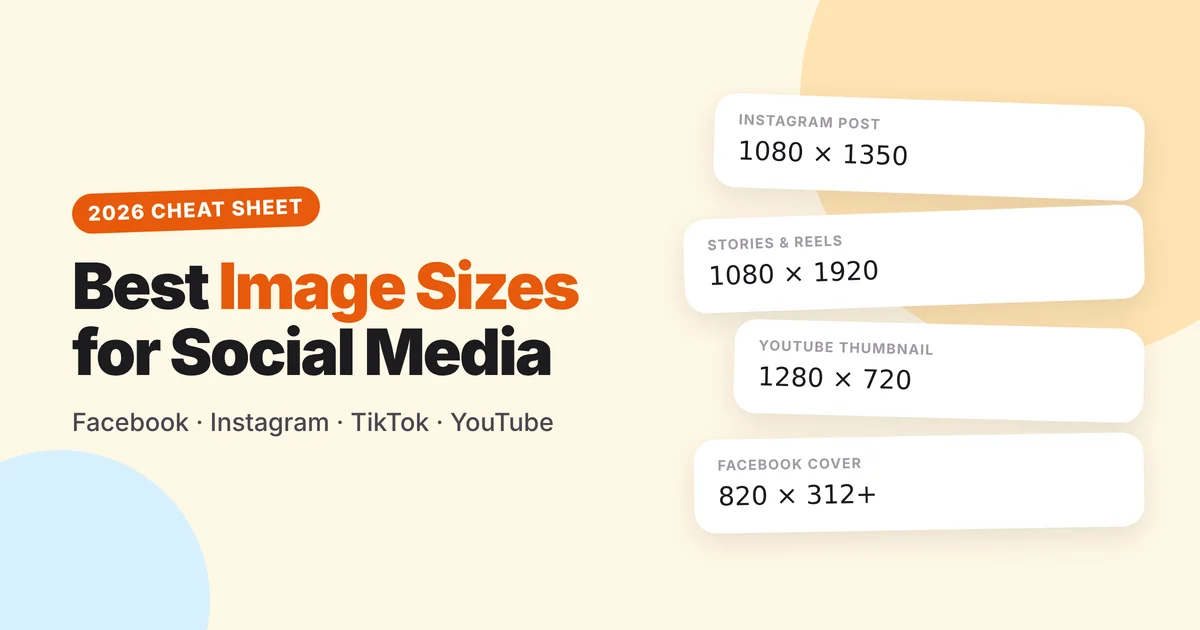
Ever posted a photo only to see someone's head cropped off, or a cover image that looks blurry on your phone? Every social network has its own preferred image sizes, and they change from time to time.
This cheat sheet gathers the recommended sizes for Facebook, Instagram, TikTok, YouTube and X in 2026, plus tips to keep your images sharp and uncropped.
The quick cheat sheet
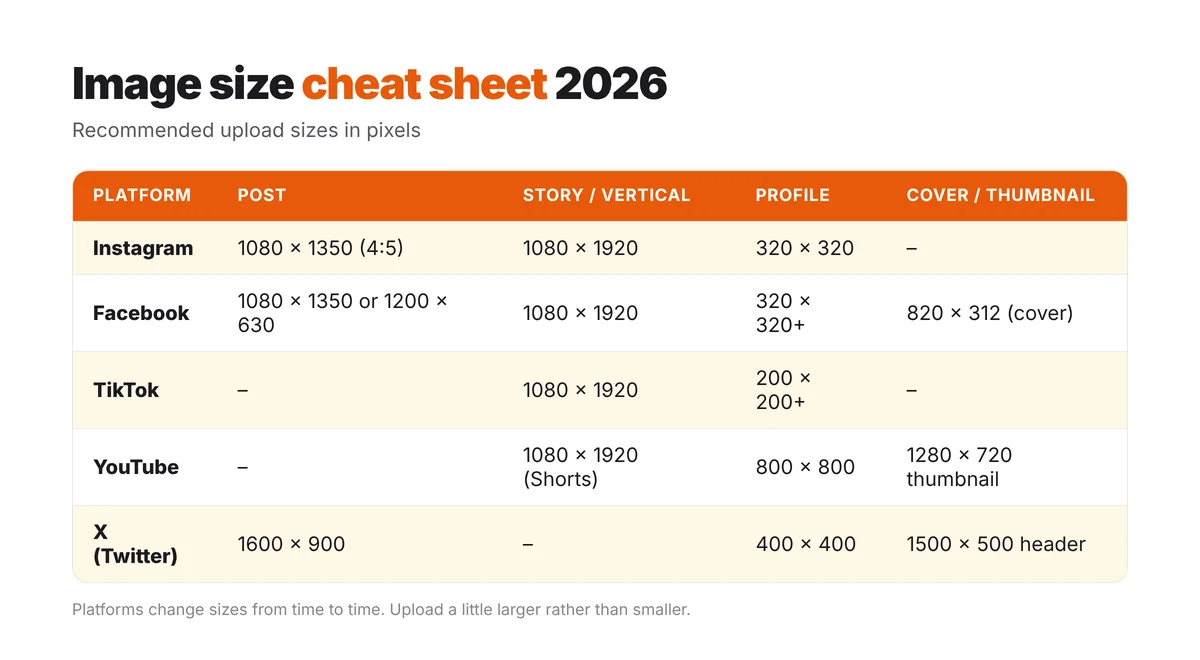
Sizes are in pixels (width × height). When in doubt, upload a little larger than the recommended size, never smaller. Platforms shrink big images neatly, but they stretch small ones, which makes them blurry.
Instagram image sizes
- Feed post (portrait): 1080 × 1350 px (4:5). This takes up the most space in the feed and is the size Instagram favors.
- Feed post (square): 1080 × 1080 px (1:1). Still works perfectly.
- Stories and Reels: 1080 × 1920 px (9:16). Keep text away from the top and bottom, where buttons and captions appear.
- Profile photo: 320 × 320 px. It's displayed as a small circle, so keep your face or logo in the center.
- Profile grid: Instagram's profile grid shows posts as taller rectangles rather than perfect squares, so keep the most important part of each post near the middle.
Facebook image sizes
- Feed post: 1080 × 1350 px for portrait images or 1200 × 630 px for landscape link-style images.
- Cover photo: at least 820 × 312 px. Many people upload at double that size (1640 × 624 px) so it stays crisp on high-resolution screens. Keep important content in the middle, as the edges get cropped differently on mobile and desktop.
- Profile picture: upload at least 320 × 320 px. It's shown as a circle.
- Stories: 1080 × 1920 px.
TikTok image sizes
- Videos and photo posts: 1080 × 1920 px (9:16).
- Profile photo: at least 200 × 200 px, shown as a circle.
- Safe zone: TikTok's buttons, caption and username cover the right side and bottom of the screen. Keep text and faces in the center area.
YouTube image sizes
- Thumbnail: 1280 × 720 px (16:9), under 2 MB. This is one of the most important images you'll make, because it decides whether people click.
- Channel banner: 2560 × 1440 px, but only the center area of about 1546 × 423 px is guaranteed to show on every device. Put your name and key text there.
- Profile picture: 800 × 800 px.
- Shorts: 1080 × 1920 px.
X (Twitter) image sizes
- Post image: 1600 × 900 px (16:9).
- Header: 1500 × 500 px.
- Profile photo: 400 × 400 px.
Tips for sharp, uncropped images
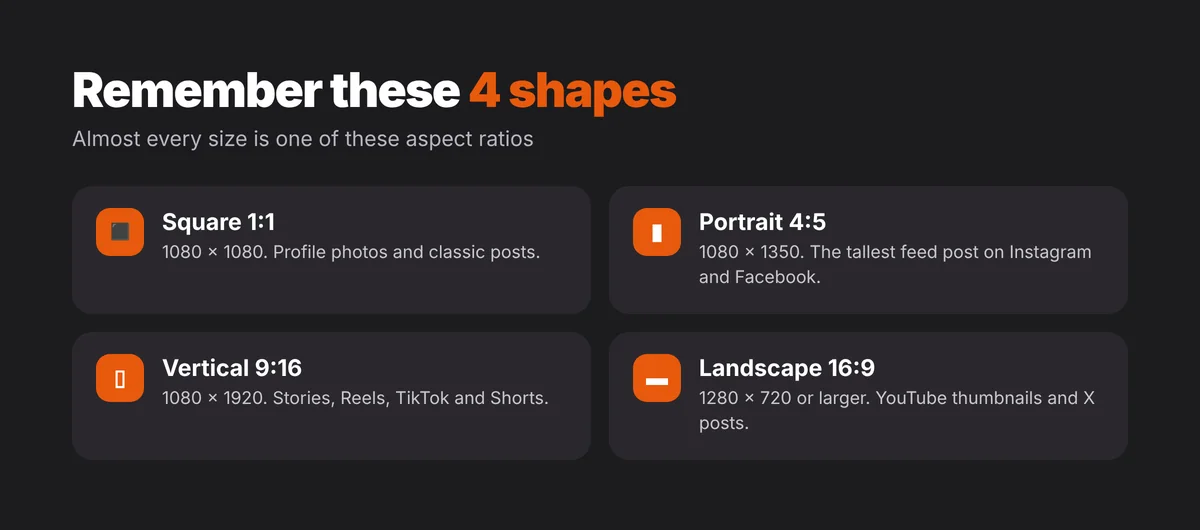
- Think in shapes. Almost every size is one of four aspect ratios: 1:1, 4:5, 9:16 or 16:9. Design in the right shape and you're 90% there.
- Use safe zones. Keep text and faces away from edges. Profile photos are circles, and stories have buttons on top.
- Compress before uploading. Use our image compressor at 80% quality. Social networks compress images again, and starting with a clean, reasonably sized file gives better results than uploading a huge one.
- Use JPG for photos and PNG for graphics with text. If an image won't upload, convert it with our image converter.
- Check on your phone. Most people will see your images on a phone, so preview there before you post.
Frequently asked questions
Why does my image look blurry after uploading?
Usually because it was smaller than the recommended size and the platform stretched it, or because it was compressed heavily twice. Upload at the recommended size or a bit larger.
Do these sizes change?
Yes, platforms update their layouts from time to time, so it's a good habit to preview your post before publishing.
What about Pinterest and LinkedIn?
Pinterest favors tall 2:3 images such as 1000 × 1500 px. LinkedIn link and post images look good at 1200 × 627 px.
Want to style your captions too? Learn how to make bold text in Facebook posts.