How to Make Bold and Italic Text in Facebook Posts
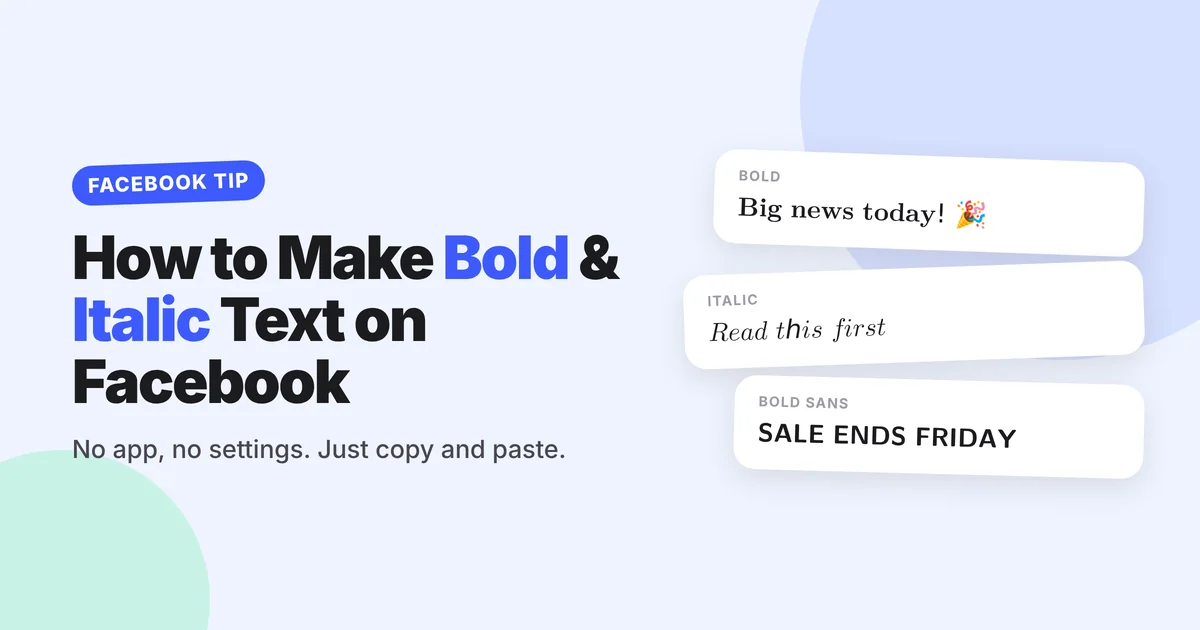
Ever scrolled past a Facebook post where one line was in bold and wondered how they did it? Facebook doesn't give you a bold or italic button when you write a regular post, a comment or your profile intro. Yet people still manage to make words stand out.
The secret is a simple copy-and-paste trick. In this guide you'll learn how it works, how to do it in under a minute on any device, and how to use it without making your posts hard to read.
Why Facebook doesn't have a bold button
Most Facebook text boxes are "plain text." They don't store formatting like bold, italic or font size. That keeps the feed clean and consistent, but it also means you can't simply highlight a word and press Ctrl+B.
There are a few exceptions. Some places on Facebook, such as posts inside certain groups, may show basic formatting tools. But for your personal timeline, Pages, comments and bio, there's no built-in option.
The trick: Unicode bold and italic letters
Unicode is the worldwide standard that lets every phone and computer display text in hundreds of languages. Besides normal letters, it includes special "mathematical" letters that look bold, italic, cursive and more. For example:
- Normal: Big news today
- Bold: 𝐁𝐢𝐠 𝐧𝐞𝐰𝐬 𝐭𝐨𝐝𝐚𝐲
- Italic: 𝐵𝑖𝑔 𝑛𝑒𝑤𝑠 𝑡𝑜𝑑𝑎𝑦
- Bold italic: 𝑩𝒊𝒈 𝒏𝒆𝒘𝒔 𝒕𝒐𝒅𝒂𝒚
Because these are characters, not formatting, Facebook treats them like any other text. When you paste them into a post, they stay bold or italic for everyone who reads it.
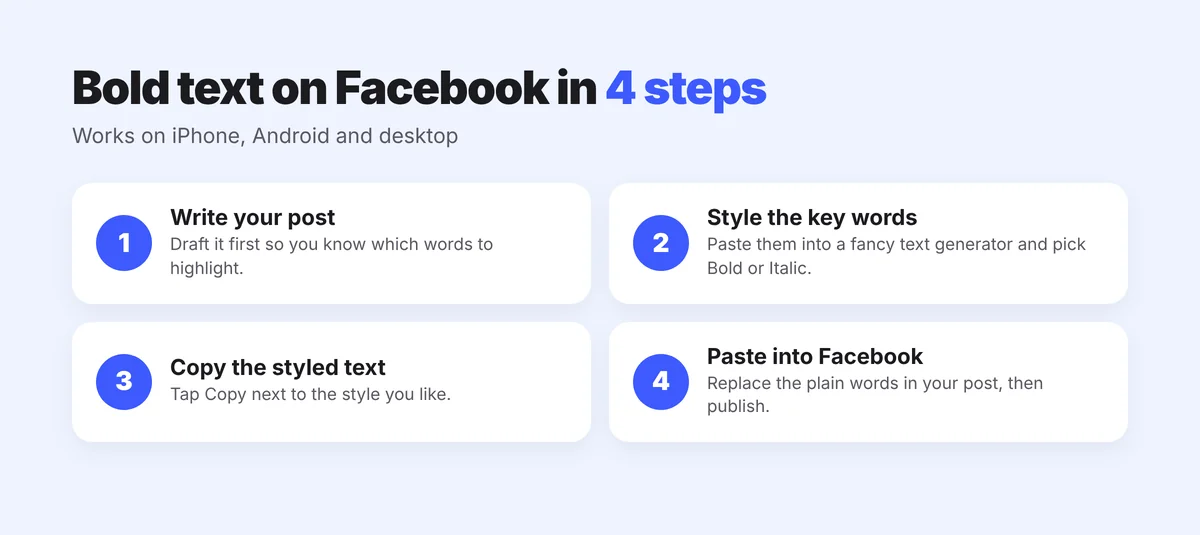
How to make bold text on Facebook (step by step)
- Write your post as usual. Decide which word or line you want to stand out. Usually that's a headline, a date or a call to action.
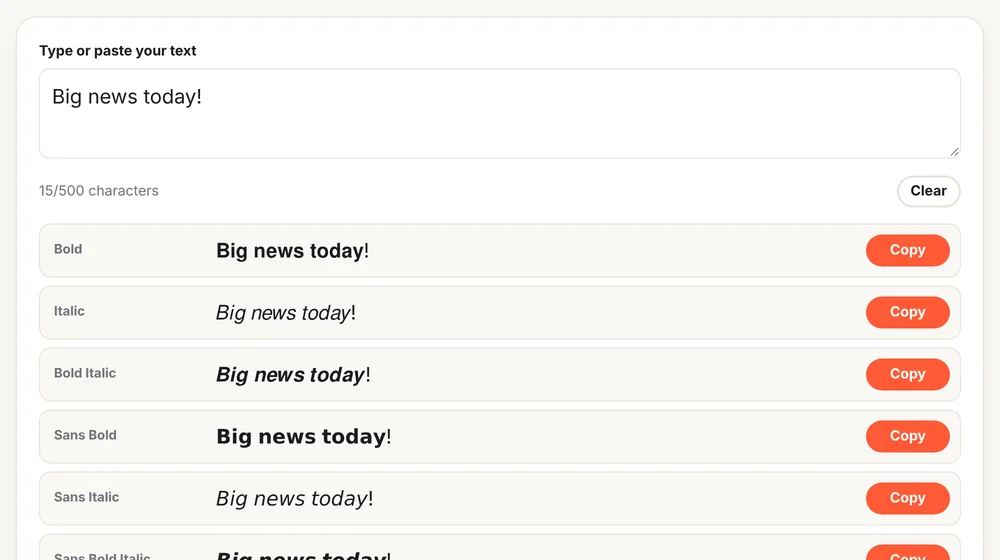
- Open a fancy text generator. Our free fancy text generator works in any browser, so there's nothing to install.
- Type or paste the words you want to style. You'll instantly see them in more than 30 styles.
- Tap Copy next to Bold or Italic.
- Paste the styled words into your Facebook post in place of the plain ones, then publish.
That's it. The same steps work for comments, Page posts, event descriptions, Marketplace listings and your profile intro.
Which style should you use?
- Bold (serif) like 𝐭𝐡𝐢𝐬 feels classic and works well for headlines.
- Bold sans like 𝘁𝗵𝗶𝘀 looks modern and clean, great for announcements and sales.
- Italic like 𝑡ℎ𝑖𝑠 is softer and good for quotes, names or a gentle emphasis.
- Cursive like 𝓉𝒽𝒾𝓈 is decorative. Use it for one or two words at most.
Smart ways to use bold text in your posts
- Headlines: start a long post with a bold first line so people know what it's about before they tap "See more."
- Key details: make the date, time or price bold in event and sale posts.
- Lists: bold the first word of each list item, such as "𝐒𝐭𝐞𝐩 𝟏: Preheat the oven."
- Calls to action: "𝗖𝗼𝗺𝗺𝗲𝗻𝘁 𝗬𝗘𝗦 if you want the recipe!"
Things to watch out for
Fancy letters are fun, but they have a few downsides. Keep these in mind:
- Accessibility: screen readers used by people who are blind or have low vision may read styled letters one by one, or skip them. Never put your whole post in bold, and keep important information like phone numbers and links in plain text.
- Search: Facebook search and Google treat styled letters as different characters. If people need to find a word, such as your business name, keep it in normal text.
- Old devices: a few older phones can't display every style and may show empty boxes. Bold and italic are the most widely supported, so they're the safest choices.
- Too much looks spammy: a post that's all bold reads like shouting. One bold line is eye-catching; ten are tiring.
Frequently asked questions
Can I make text bold in Facebook comments?
Yes. Comments are plain text too, so the copy-and-paste trick works the same way.
Will other people see my bold text?
Yes. Because the bold letters are real characters, everyone sees them, whether they use the app or a browser.
Does bold text help my post reach more people?
There's no evidence that Facebook boosts posts with bold text. Its real benefit is that it helps readers notice the important part of your message.
Can I use this on Instagram and other apps?
Yes. The same styled text works on Instagram, X, LinkedIn, TikTok and most messaging apps. Check out our list of cute Instagram bio ideas for inspiration.
Give it a try
Next time you post an announcement, a sale or a recipe, pick one line to highlight and run it through the fancy text generator. It takes seconds, and your post will be much easier to skim.